Make a pilot certificate.
Add a name and date if you like, then print a Junior Pilot participation certificate.
Junior Pilot Certificate
Everything is optional.
Made right here in your browser. We don’t save what you type or the photos you add.
Celebrates participation. This is not a flying qualification.
Your keepsake
US Letter landscape · ColourThe name and date spaces stay blank until you fill them in.
Print at 100% (Actual size), not Fit to page. Print one side only.
In an app’s own browser a download may not start. If nothing arrives, open this page in Safari or Chrome, or use Share.
Blank copies of every keepsake, ready to print together, are on the Workshop’s front page.
About the Junior Pilot Certificate
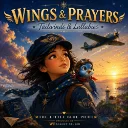
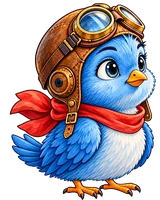
The landscape certificate has Little Blue, his friend and their blue monoplane, with generous space for a name and completion date. Its lines are left blank on the print-ready copy, and you can add either one in the editor.
Choose colour or low ink, then print the blank certificate on US Letter or A4 landscape paper.
It celebrates taking part. It is not a real aviation qualification, and it says so at the foot of the page.
How to make a pilot certificate
- Add a name and a date if you like, or leave both lines blank to write by hand.
- Choose colour or low ink.
- Choose US Letter or A4 landscape paper.
- Download the PDF and print it at 100% (Actual size), one side only.
The Sky Map is a separate place to explore the world Little Blue flies over.