

Make a birthday card.
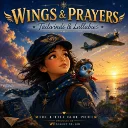
The aeroplane tows a banner with a name, the age sits in a cloud, and the wish is yours.
01 / Make it yours
Birthday Card
Everything is optional.
Made right here in your browser. We don’t save what you type or the photos you add.
02 / Your little piece of sky
5 × 7 inchesPrint on US Letter at 100% scale, with browser headers and footers off. The card is 5 × 7 inches and sits in the middle of the sheet: cut along the corner marks. Choose “Save as PDF” in the print dialog to keep a copy. For colour artwork, enable background graphics if your browser asks.
About the birthday card
The birthday card is 5 by 7 inches. The name goes on a banner that the aeroplane tows, set as large as it will fit, with the age in a cloud beside it. Underneath is a wish: choose one of the Workshop’s own lines, or write your own.
Choose a painting to set it on: four plain landscapes, Sunrise, Day, Sunset and Night, or three with the WP aeroplane and a party, Cloud Celebration, Birthday Picnic and Moonlight Wishes. Add who the card is from, and a flight date for the stamp.
A grown-up can add a photo, which is placed in a round brass porthole on the card. It stays in your browser: it is never uploaded, sent or stored, and its location data is dropped.
Print it flat, with corner marks to cut along, or folded as a quarter-fold card on one sheet, with the wish and a page for a note inside.
How to make a birthday card
- Add a name and an age. Add who it is from, a wish, a flight date and a photo if you like.
- Choose a scene for the card to be set on.
- Choose a flat card or a folded card, and US Letter or A4.
- Press Print or save as PDF to print it, or press Save PNG to send the card as a picture.