
Boarding Pass
Everything is optional.
Made right here in your browser. We don’t save what you type or the photos you add.
Stamps
- Gate found Find your gate on the departures board to earn it.
Find Tailwind Current on the departures board. Which flight goes there, and from which gate?
Stamps are earned on My First Navigation Journey. A keepsake without them is still yours to print.
Watch your flight board on the departures board, then fly there on the Sky Map.
Your keepsake
190 × 80 mm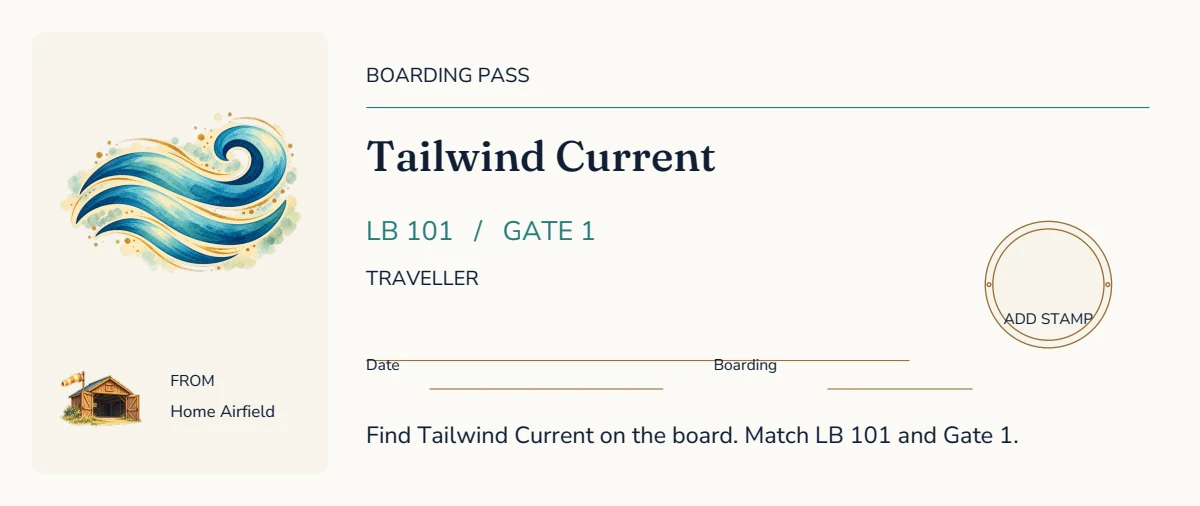
Boarding pass, as designed, with its writing lines left for you.
Print at 100% (Actual size), not Fit to page. Print one side only. Cut at the corner marks. The true-size PDF is the keepsake alone, for a print shop or for cutting by hand.
In an app’s own browser a download may not start. If nothing arrives, open this page in Safari or Chrome, or use Share.
Blank copies of every keepsake, ready to print together, are on the Workshop’s front page.
About the boarding pass
The boarding pass is 190 by 80 millimetres. It names the traveller and one of seven flights from Home Airfield, LB 101 to LB 107, each to a place on the Sky Map from its own gate, with the time boarding opens.
A pass is yours as soon as a destination is chosen. Find the same flight and gate on the departures board to earn its mission stamp. A name is optional.
How to make a boarding pass
- Choose a destination, and add a name and a date if you like.
- Find your flight and gate on the departures board for the mission stamp.
- Download it to print on A4 or US Letter, one side only, at 100%, and cut along the corner marks.
The departures board shows every flight from Home Airfield as it boards.